Shapefile
See Technical Analysis for details on what a Shape File is and the various files that are required
To create a Shape File, go to Engage -> Shape Files -> New Shape File

Shape File Title: The name to call the Shape File
Description: A brief description of what the Shape File is
Zip File. Attach a Zip file containing .shp, .dbf, .shx and other related files. See Technical Analysis for a list of mandatory files
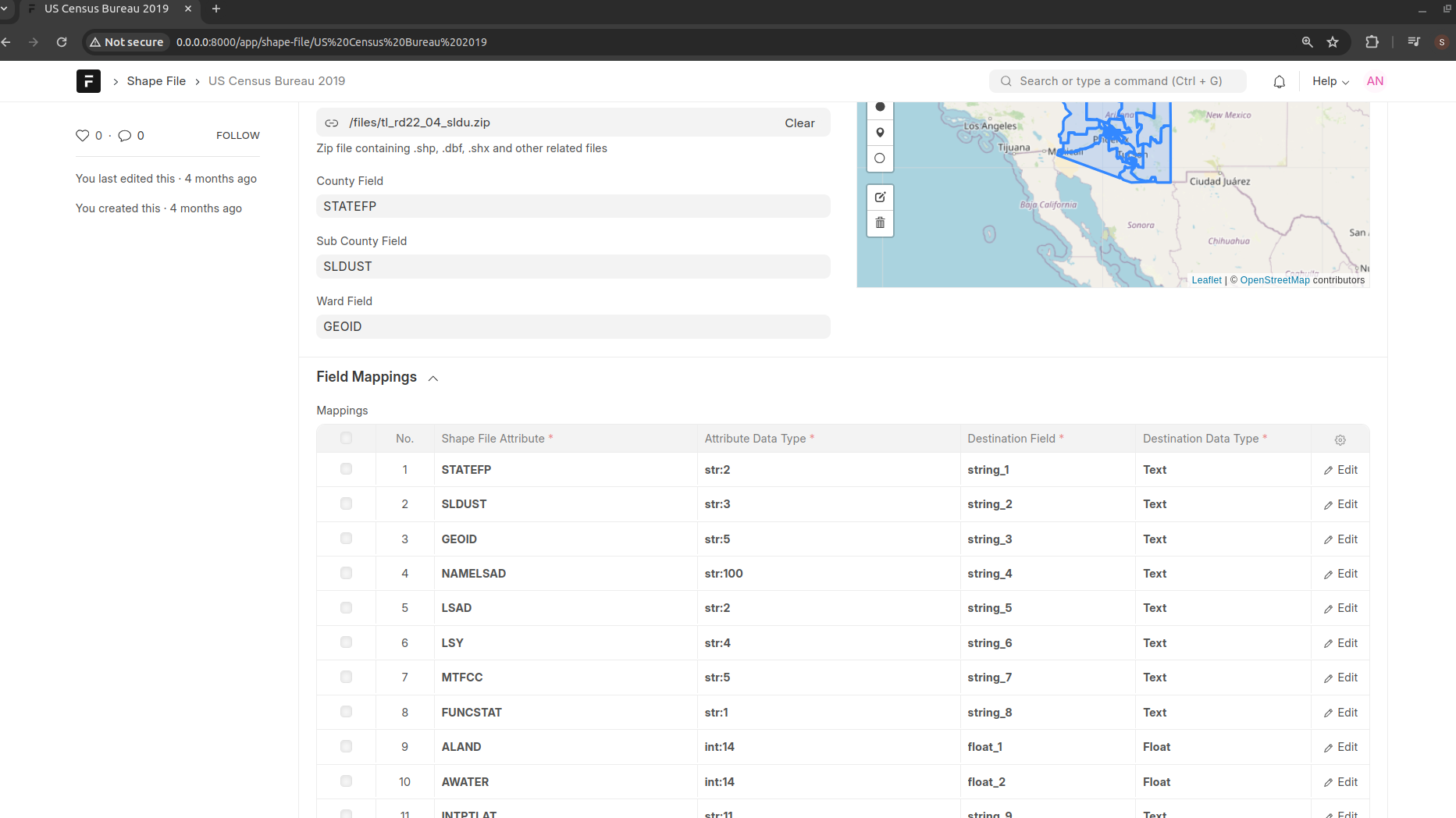
Geom. This is a read only field that will present in a geographical manner, the contents of the uploaded zip file
When the zip file is uploaded, the system will parse the contents of the shape files and will display the contents under Field Mappings and Entries fields. In addition, the different vectors will be displayed in the Geom field.

Field Mappings
The field mappings field holds a mapping of the source shape file attribute and the database field that is storing the attribute value.
Entries
The entries field lists the different vectors (shapes) that are stored by the uploaded shape file. Each entry shows the attributes and geometry of each of the shapes.